


On many social media platforms, verification means a paid subscription — or being a celebrity.
Bluesky, however (as per usual), has a slightly different look. The decentralized platform is blazing a new blue check trail: one that mixes top-down trust with community credibility.
Whether you’re a journalist, creator, brand, or just someone who wants to prove they’re actually who they say they are online, here’s what you need to know about how verification works on Bluesky — and how to get it.
The 2 layers of verification on Bluesky
Bluesky currently offers two main verification options:
- A traditional verification (blue check) from Bluesky
- Self-verification
The former, introduced in April 2025 by Bluesky, works a bit like notable figure verification on Instagram. This is granted if the platform deems you to meet certain criteria.
Interestingly, you can also be verified by Blueksy’s new ‘trusted verifiers‘ — or even apply to be one. Here’s more on the subject.
Self-verification, on the other hand, has been around on Bluesky for a while. This method has been used to verify over 270K accounts.
It requires you to own a web domain (basically, have a website), and it effectively connects your Bluesky account to your site, even changing your Bluesky handle to match — no more ‘bsky.social.’ The blue check is a strong signal of trustworthiness.
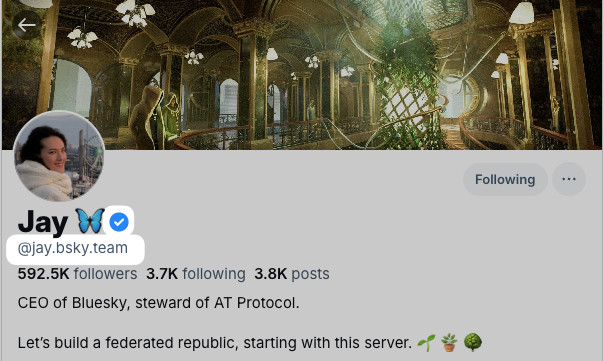
Fun fact: You can even have both a blue check and be self-verified on Bluesky, like CEO Jay Graber is:
Here’s a little more about each verification system and how to get verified on Bluesky via both routes.
The new Bluesky blue badge
Bluesky recently introduced visual verification badges, the familiar little checkmark next to your name, for accounts it deems both authentic and notable.
These are issued proactively by Bluesky or — and here comes the twist — those trusted verifiers I mentioned earlier.
As trusted verifiers, organizations like The New York Times, Wired, and CNN get a special, scalloped blue check on their profiles and can grant badges to others.
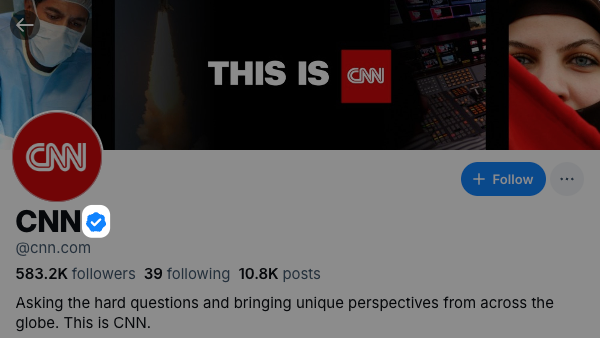
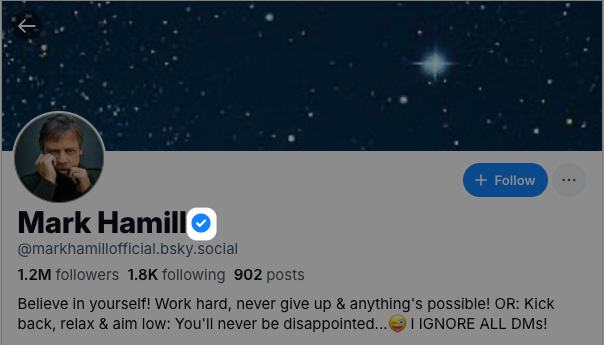
If you are a NYT journalist, your employer could grant you a badge instead of having to wait for Bluesky’s HQ approval.
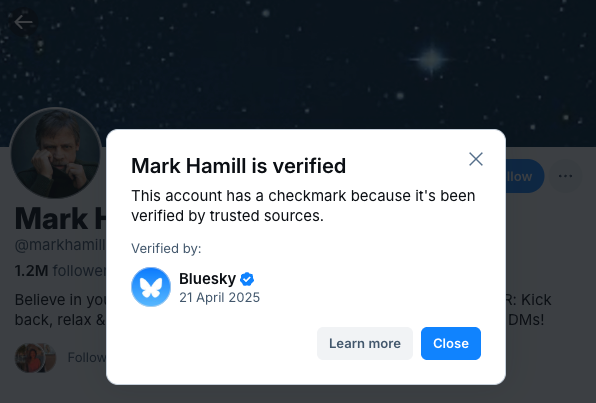
You can even tap on any blue badge to see who granted it.
How to get a verified badge on Bluesky
Right now, getting verified on Bluesky requires filling out this application form. Google’s form is simple, but the company promises to refine it.
“Our criteria for verification is evolving based on user feedback,” According to the company, these are currently Bluesky’s verification criteria: Your account must be active and secure. It should have a complete bio, a profile photo, and show regular activity. Two-factor authentication is strongly recommended for account security. “We will continue to expand the scope of accounts that are eligible for verification over time.”
These are the current criteria for Bluesky verification:
Your account must be active and secure:
- Your profile must have a complete bio, a profile photo, and show regular activity
- Two-factor authentication is strongly recommended for account security
- Your account must comply with Bluesky’s Terms of Service and Community Guidelines
Your account must be authentic:
- Your account must represent a real person, registered business, organization, or legitimate entity
- Your handle and display name should clearly align with your real identity or business
- Your account must be the unique presence of the person or business it represents
- If you have an official website, it should link to your Bluesky account
You should be notable:
- You, or your account, must be notable within your field and geographic region
- We take into account various indicators of notability, which may include professional recognition, media coverage in established publications, presence on credible reference platforms, or other evidence of public interest
- Each verification category may have specific notability criteria relevant to that field
“We consider the overall context and public interest value of each account. Please provide links and evidence that can help us ensure that your account meets notability criteria,” the company says.
Please fill in the following form. Be sure to have all the evidence you need handy — links to organic appearances on media outlets and the like will strengthen your case.
Self-verification on Bluesky
This was the original method of verifying your identity on Bluesky. It lets you use a domain you own as your handle — for example, @yourwebsite.com. It connects the social media presence to your web-based presence and makes it harder for someone else to impersonate you.
Buffer’s Joel Gascoigne (@joel.is) and Hailley Griffis (@hailley.co) have gone this route — notice how neat their handles are.
We’ve also experimented with verifying some Bufferoos with Buffer’s domain, which worked out pretty well too — here’s mike@buffer.com (Michael Eckstein, our Product Marketer).
Here’s how it reflects on their profiles:
With this option, you won’t get a blue check mark, but it’s a clear signal that you are who you say you are on the network.
Here’s how CEO Jay Graber explains it on the Bluesky blog:
“Custom domain handles are a decentralized way for us to achieve a level of account verification. Curious if ‘@potus.bsky.social’ is actually the president of the US? Once this feature fully lands, you should assume the actual president of the US would have an official domain handle like ‘@potus.whitehouse.gov’.
There are other perks to going this route as well:
- You can use the same handle to identify you across social networks
“I own jaygraber.com, so if I set my handle to @jaygraber.com on Bluesky, I can tell my friends to find me at this stable handle across any AT Protocol social site that supports custom domains,” Jay explains.
- You can keep a custom domain handle when you switch services.
Bluesky is just one network built on AT Protocol — and the company’s goal is to make it easier for users to switch to others. So, as Jay explains, “if you’re currently using the bsky.social, but you decide you don’t like our policies and want to switch to another, you’ll be able to keep the same domain handle.”
How to self-verify on Bluesky
If you own a domain, you can set it as your Bluesky handle right now — no application. Here’s how. Open Bluesky on desktop or mobile, then:
- Go to Settings > Account. Choose Handle.
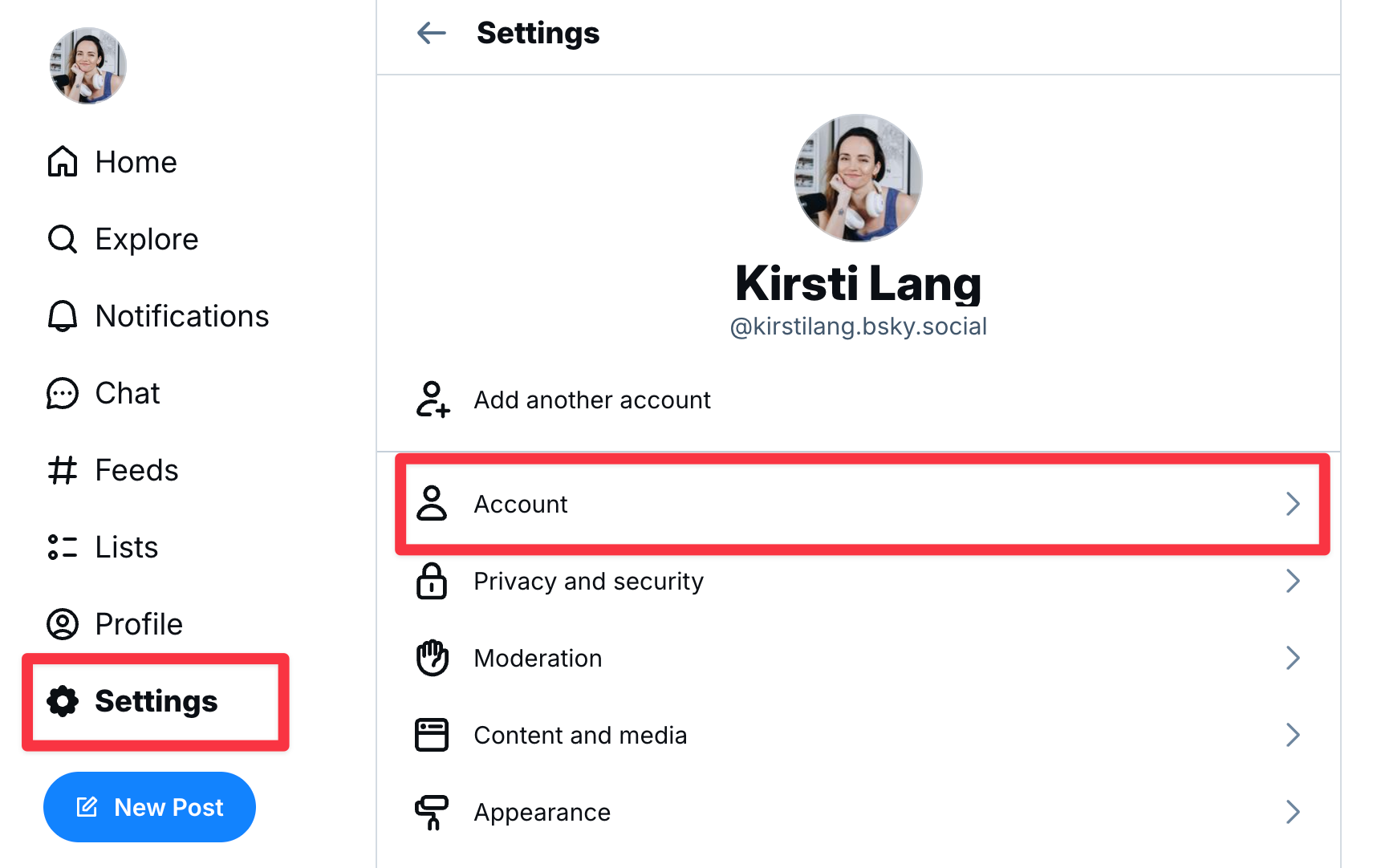
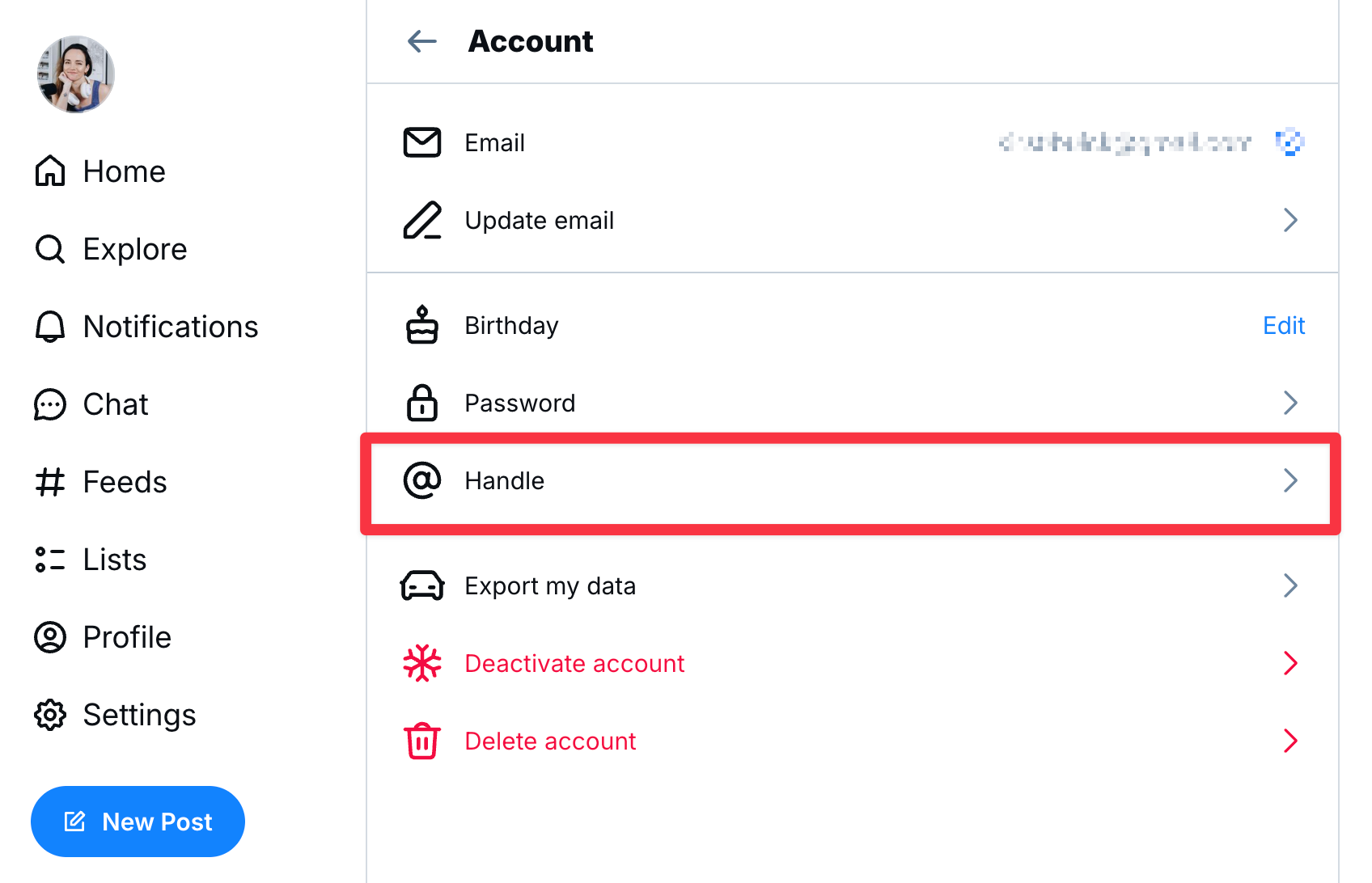
- Click or tap the ‘I have my own domain’ button and enter your domain
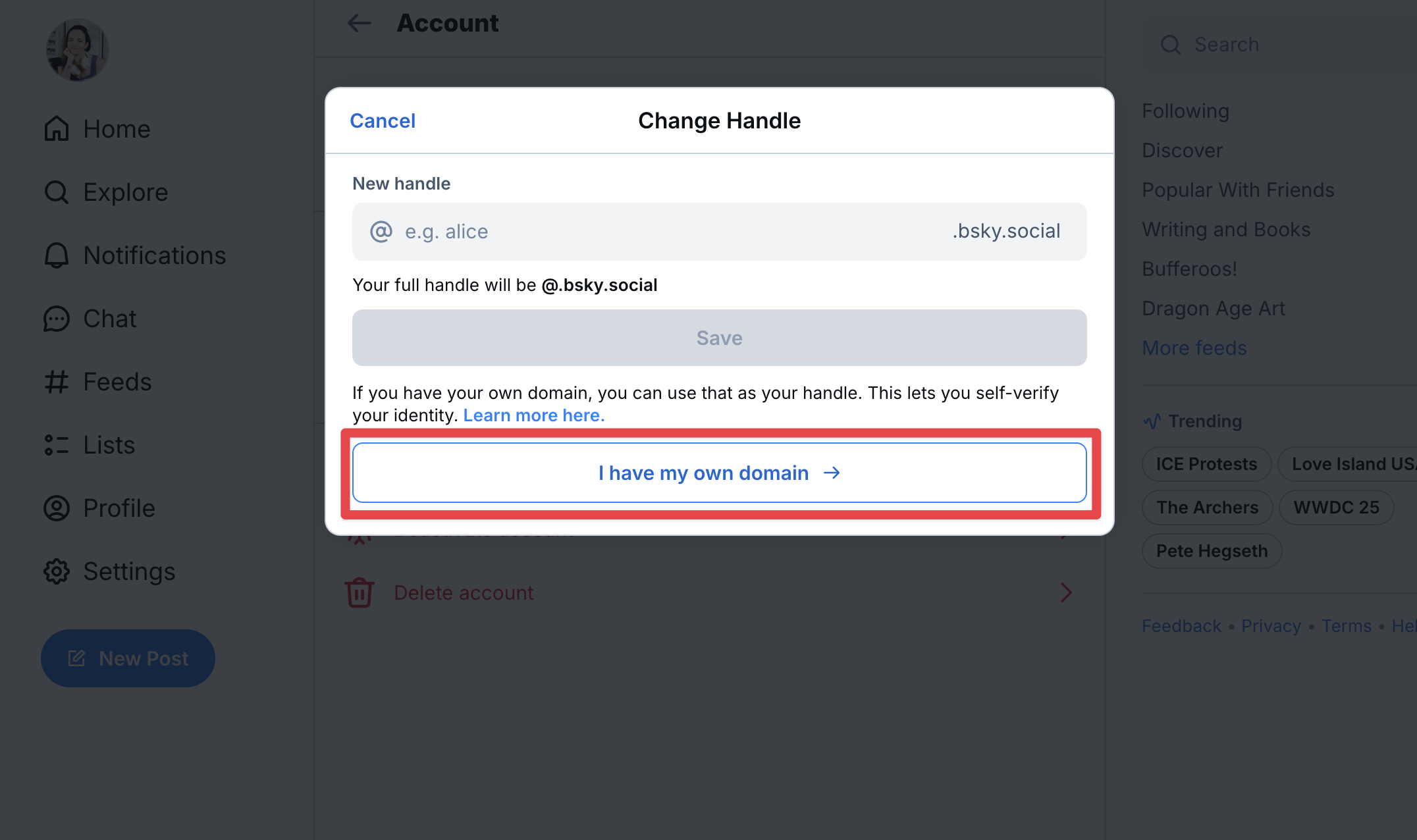
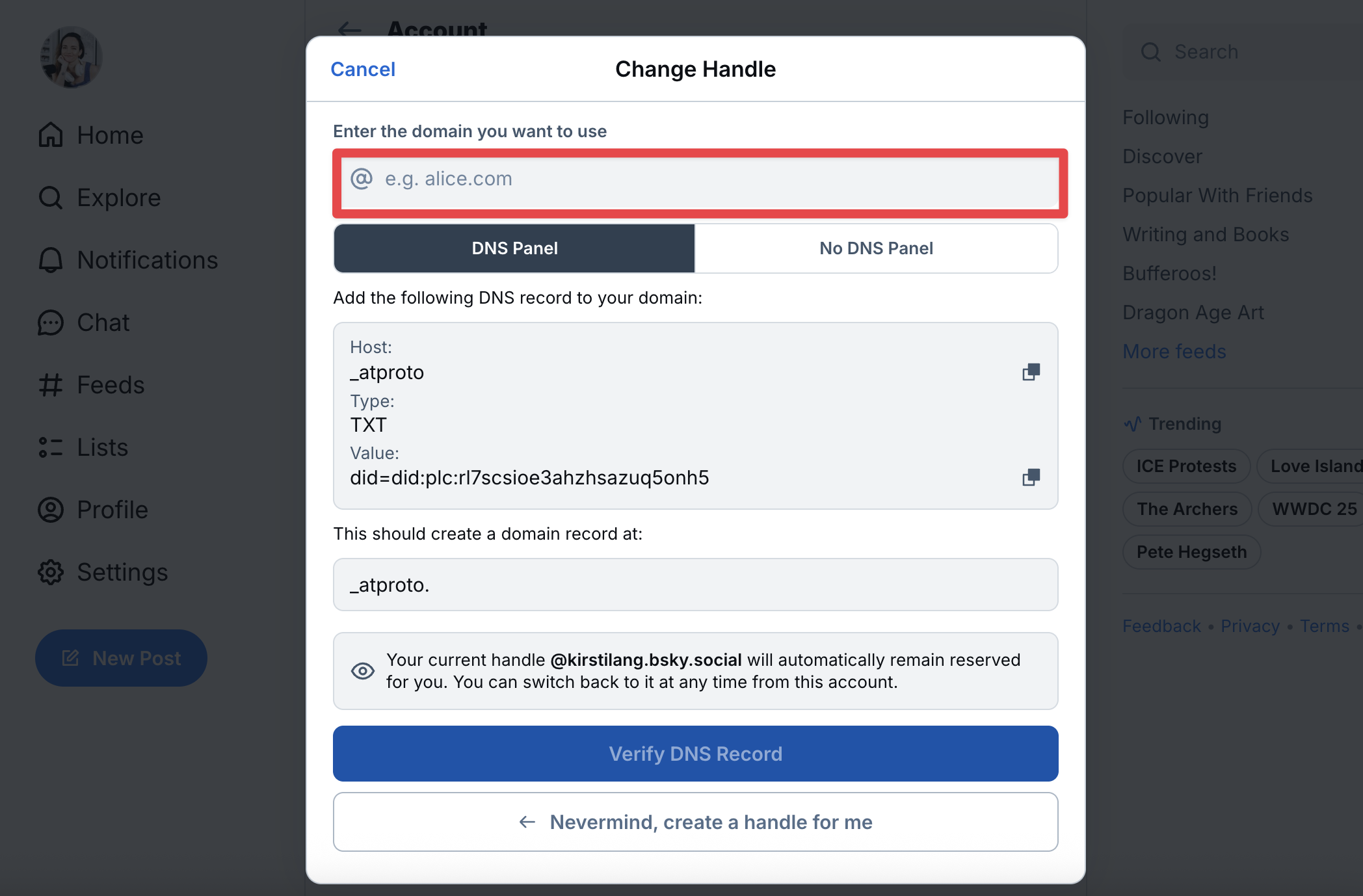
- Navigate to your domain registrar, which is the company you bought your domain from (Wix, GoDaddy, Google Domains, etc.). The specific steps here will depend on the company, but you’ll want to navigate to DNS management for your domain. Pro tip: check under an “Advanced DNS” tab. If you get stuck, the customer support team from your provider will be able to help.
- Return to Bluesky and tap the ‘Verify DNS record’ button. Once confirmed, click Update to your new domain-based handle.
Keep the current menu open — you’ll need to copy over some details to your DNS record in your domain’s settings (this varies by provider).
This change may take a few hours to reflect, so sit tight if it doesn’t appear immediately — it doesn’t necessarily mean you did anything wrong.
If you have questions about the process, Bluesky’s technical guide has more.
We’re also happy to help on Bluesky if you get stuck — you’ll find us at @buffer.com.
Still new to Bluesky?
If you’re Bluesky-curious, but have yet to get started on the new social network, we have a bunch of resources that will help get you from zero to one. I’d recommend you start here:
If you’d like to learn more about Bluesky and the network’s plans for creators, this episode of Buffer Chat with Bluesky COO Rose Wang is worth a listen:
